Share Single Application or Window From Your Browser
Ideal for online presentations — no downloads needed.
info You will get the option to choose the specific window or application you’d like to share.
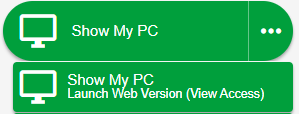
Launch the Web Version from your account page.
The web version lets you share a computer screen with view-only access.
Share Single Application or Window From Your App
Launch from your app and share your screen. No downloads required.
info You will get the option to choose the specific window or application you’d like to share.
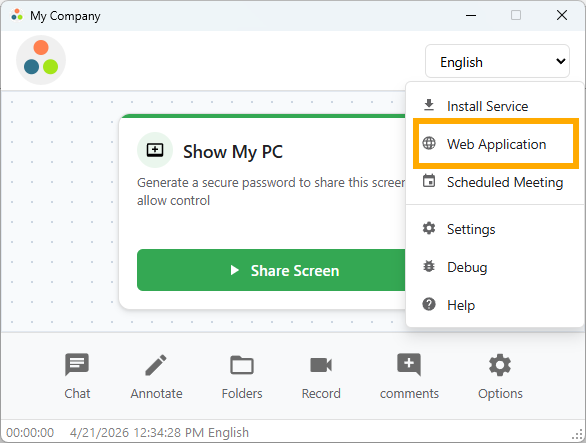
Go to Options > Web Application
The Web Application from the app launches the web version and lets you share a computer screen with view-only access.
View Remote PC From Any Device
The HTML Viewer can be accessed from your account home page or via an invite link.
The viewer can simply watch using a standard browser — no downloads.
View the remote computer in-browser via your account home page or invite link.