Shared Folder
An easy way to share files seamlessly between multiple users or computers.
Transfer files using this browser-based shared folder system.
Files can easily be dragged and dropped directly into your web browser.
Open the Shared Folder to join and share from multiple computers at once.
This feature is available in addition to the regular file transfer tool within the application.
Temporary Storage: For your security, the contents of the folder are automatically removed after 5 days.
File Limits: The file upload limit is currently 100 MB. (Storage limits may change in the future).

folder_sharedShared Folder for Premium Accounts
The Shared Folder can be opened directly from the application from the bottom navigation > Folders tab.
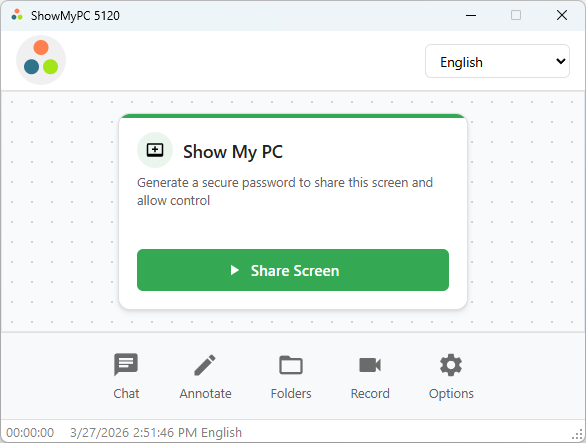
It can also be accessed from the Options menu on your home page.

folder_sharedShared Folder for Service Accounts
The Shared Folder can be opened directly from the application from the bottom navigation > Folders tab.

Shared Folder can also be accessed directly through your Service account dashboard:
