Access 25 PCs: Add-on for $50/month
This package allows anyone with a meeting account to add-on 25 licenses of the Unattended Access PC service. Access and Manage multiple unattended PCs.
Access from any mobile device.
Windows RDP and web based viewers.
Compatible with Windows 10, 11, Server.
Existing users: Please resubscribe to the required upgraded package from the hosting prices page. We will prorate and update your billing.
How to use Access PC Service
| On the Remote PC:
1) Click on the drop down box. click Show My PC > Install Service (Reconnect on Reboot) 2) Enter a password and click "Install Service on this PC" . This password will be required to connect to this PC. 3) If you are installing the service while connected remotely, you will need to disconnect, then connect back using installed service. 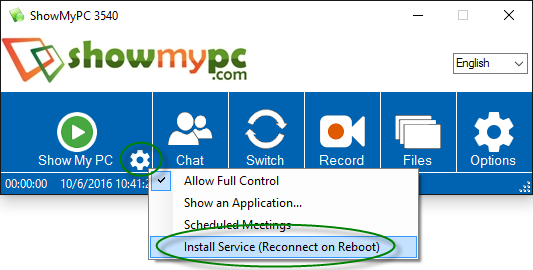
|
|
|
|
To View a remote PC with Installed Service: 1) Click on Options > View PC (Reconnect on Reboot). 2) Select your PC from the list, enter password and connect. (In some cases, it may take few minutes for a PC to show in list.) 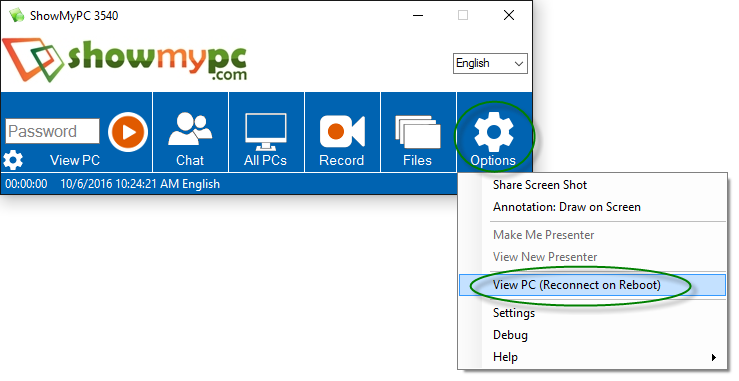
|